

In December we discussed new features that Microsoft Teams brought. Features like: Noise Suppression, Appear Offline, Teams Templates or Advanced Meeting Settings. Since then, a series of interesting features have been launched that we thought we would share with you.
The Together Mode feature has been around for a while now. It's about how during a meeting, participants appear together in a virtual environment. In the meantime, Microsoft has added several scene templates to choose from for an even more enjoyable experience:
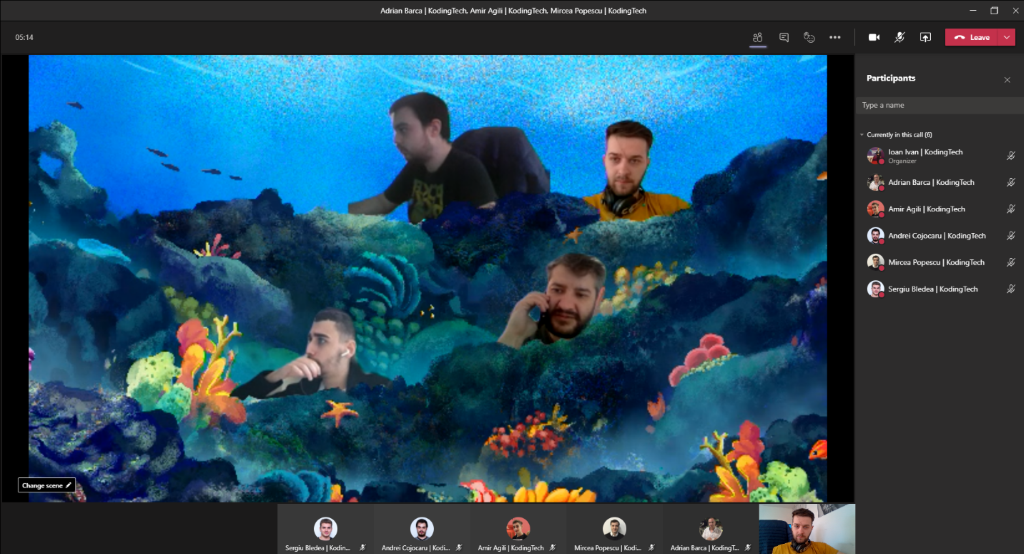
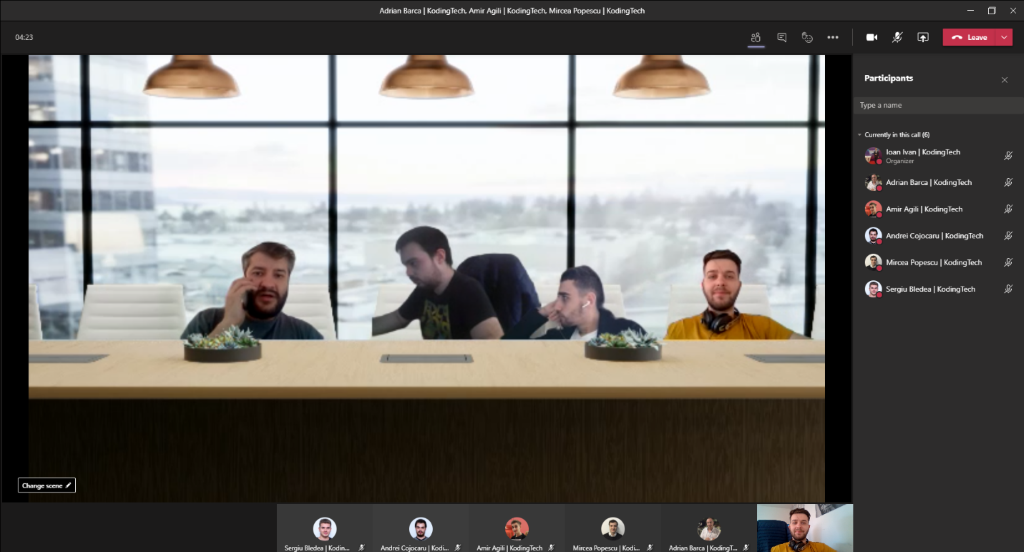
If until now we could separate conversations from the Teams window in a pop-up, Microsoft added the functionality to detach other applications, such as the Planner application:

You can now Alt+tab between different Microsoft Teams windows, increasing efficiency and reducing the time spent navigating between items.

This way you can more easily organize the activities specific to a particular department or project.
A notification that alerts you 5 minutes before the end of the allotted time for the meeting. This simple notification can help you stay on time and ensure you don't miss the next event or have time to prepare for it.

An extremely useful feature if you have to give a presentation. You no longer have to worry about sharing the wrong screen, you have the participant chat and the presentation in a single view, along with notes related to the current slide.


The functionality to create one or more breakout rooms within a meeting is finally here! An extremely useful functionality especially if you are organizing an online workshop/training and need to divide users into multiple teams. Also essential functionality in the educational sector.
Plus, plenty of useful controls to assign users, depending on the breakout room you want, which you can easily navigate between as an organizer.


What's next:
Among the functionalities that will be launched, the following caught our attention: